
Fix My Mic Speaker
Troubleshoot your device’s speaker and microphone issues.
Other Tools






Nowadays, meetings, conferences, and conversations are often conducted online. The rise of online conversations has made sound quality as important as image quality. Microphone and speaker issues can disrupt these situations. If you want uninterrupted communication, you can use our Fix My Mic Speaker tool.
Our tool helps remove dust and water residue from speakers. That’s how to improve sound quality. In this article, we will discuss mic problems and the methods you can use to resolve them.
Table of Contents
The Most Common Problems with Speaker Microphones
Speakerphones with microphones are widely used in various settings, including daily communication and online meetings. They can present some problems under conditions such as intensive use and external factors. Some of these problems include:
- Hoarse and crackling sound: Dust and water accumulated in the speaker inside or around the grille cause blockage and sound distortion. This situation both reduces the sound quality and causes problems during the call.
- Sound breaking up on the call: This is a common situation, especially in online conversations. A blockage or water contact with the microphone can cause damage over time. This can cause the sound to be transmitted poorly or intermittently.
- Echo of the sound: Microphone blockages or connection issues can cause echoing. This can make conversation difficult and create an uncomfortable experience. It may even cause the speaker to hear their own voice again.
- Low volume: Damage to the speaker or decreased microphone sensitivity will cause the sound to be heard at much lower levels than normal.
- Connection problems: Sometimes, there is no problem with the speaker microphone itself; there is a direct connection issue. For mic issues caused by Bluetooth or cables, there is no need to clean the phone. Instead, troubleshoot the connection issues.
Common Ways to Prevent Damage to Your Mic Speaker?
Contrary to popular belief, speakers with microphones have a delicate structure. This means that even minor carelessness can damage them. But then, we can almost hear you asking, “How can we prevent damage?” To extend the lifetime of your device and maintain its performance, you can use these methods:
- Water and moisture are the biggest enemies of speakers and microphones. Therefore, you should keep them away from water. You can use a phone case to protect your device from damage.
- Another method is regular cleaning. Dust and moisture buildup on the speaker can cause muffled sound. You can use the Fix My Mic Speaker tool or a soft brush to clean it.
- While many people overlook it, loudness warnings are important for your microphone speaker. Listening to music at high volume for extended periods can damage your speakers. You can use a medium volume setting for both your ear health and the speaker’s sound quality.
- Last of all, protect your device from sudden impacts such as drops or bumps. These can cause irreversible damage.
How To Use the Fix My Mic Speaker Tool?
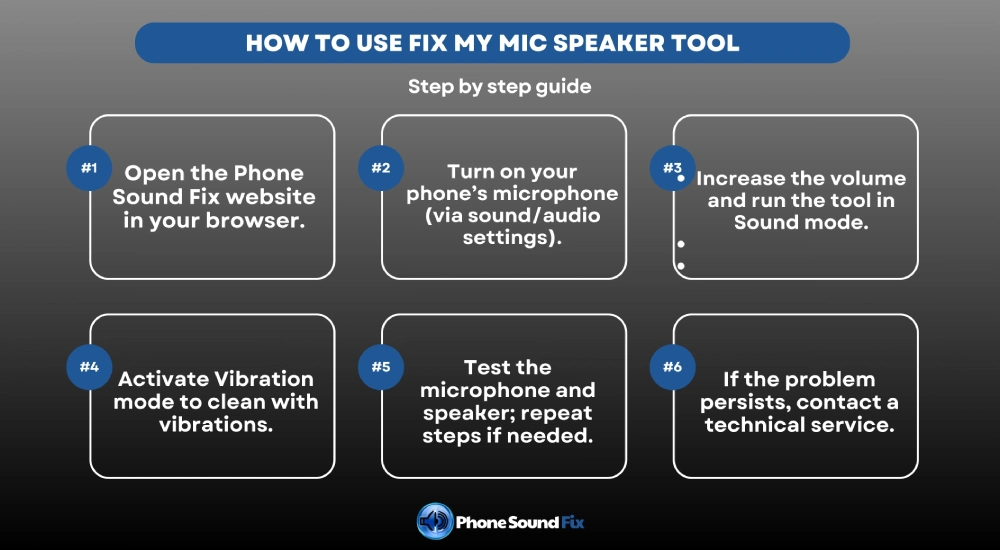
Using our Fix My Speaker tool, which we have created to fix dust and water-related speaker problems, is quite simple. We will explain how to use it step by step:
- Firstly, you should open our Phone Sound Fix website on your browser.
- Next, you need to turn on your phone’s microphone. To do this, open the device’s sound or audio options app. On the page that opens, enable the microphone.
- Then, increase the device’s volume, go back to the Phone Sound Fix website, and run the tool in ‘Sound’ mode. Sound mode uses special sound waves at different pitches to clean. This intense sound will help dislodge water and dust from the device.
- After cleaning in Sound mode is complete, you should activate Vibration mode. In Vibration mode, the device is subjected to intense vibrations, causing the diaphragm to move and remove unwanted material.
- After running it in all modes, test the microphone and speaker. There should be a significant improvement after this procedure. If not, or if it’s not sufficient, you can repeat the steps described above.
- If, after several iterations, you still haven’t achieved the results you’re looking for, it’s best to contact a technical service representative. The problem may be caused by software or hardware issues.
Other Solutions to Fix Mic Speakers
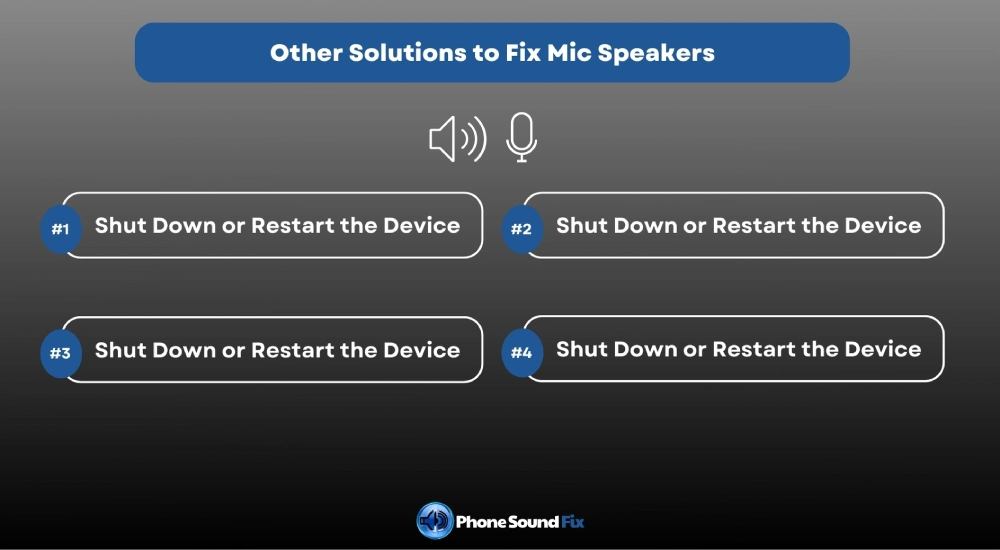
Fix My Mic Speaker is one of the most effective methods for resolving issues on your device. However, if you are looking for other solutions, you can try these methods:
- Shut Down or Restart the Device:
While this may seem like a simple solution, it’s actually quite effective. If your device is experiencing system or software issues, temporarily turning it off or restarting it can resolve microphone-related issues.
- Microphone Can Be Cleaned:
If you need to address the issue manually, you can try the cleaning method. Using a dry cloth or brush, gently wipe the speaker or microphone area to remove any dust and moisture that has accumulated in these areas. Like other methods, this is a simple yet highly effective method.
- Software Update Needed:
Software issues are often the most common cause of microphone malfunctions. Thus, if your microphone speaker is experiencing issues, it may be due to a software problem. At this point, you can access your device’s settings and install any pending software updates or complete any outstanding updates. This method is also effective for the device’s overall performance.
- Consult a Technician:
Getting help from a technician is perhaps one of the best ways to solve problems you cannot solve at home. If there’s a complex issue with the microphone, speaker, or a faulty component, technicians are best equipped to diagnose and resolve it. A technician can thoroughly examine your device and identify the issue. They can then repair and fix the problem within the timeframe required.
FAQ
Yes, Fix My Speaker is a completely safe tool. It cleans using only sound waves and vibration. This means no manual intervention is required, making it safer and less risky. However, it is best not to play it for too long to avoid putting too much pressure on the speaker.
Fix My Speaker isn’t a tool that can completely repair your phone. It only focuses on the speaker’s problem. Therefore, if your phone has more physical damage, it’s best to contact a technician.
First, visit the Phone Sound Fix website in your browser. You will see the tool on the homepage. You can use it by first activating it in sound mode and then in vibration mode.
It is not recommended to use this tool for extended periods due to the pressure buildup on the speaker. Therefore, it would be better to do it several times at intervals.
If the sound is constantly muffled, low or scratchy, if there is no sound at all, or if you hear crackling sounds when you turn on something loud, this is an indication that there is a problem with your speaker.
Yes, using Fix My Speaker is a logical choice when your phone’s speaker is exposed to water.