
Fix My Speaker Water
Clean the water from your device’s speaker.
Other Tools






Nowadays, efforts are underway to produce water-resistant technological devices. While these devices are durable, speakers are still among the most vulnerable. That’s why small but life-saving tools are attracting attention. Our Fix My Speaker Water tool is one such tool.
Our tool aims to remove water from your speaker without damaging it. This way, you can get rid of the hoarse sound. In this page, we will explain how to use the Fix My Speaker Water tool. Let’s take a closer look.
Table of Contents

What is Fix My Speaker Water Tool?
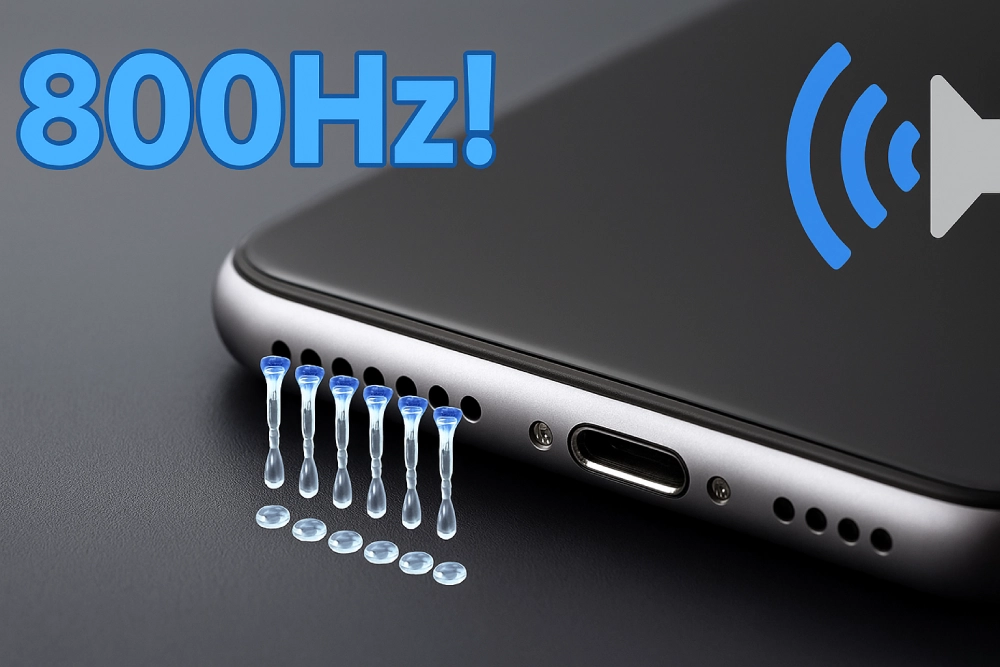
Our Fix My Speaker Water tool, developed by Phone Sound Fix, is a web-based tool that produces sound waves and vibrations at a specific frequency to expel water stuck in the speaker.
In other words, the tool creates a specific, precise frequency tone and increases vibration within the speaker. In this, any water that has accumulated inside the speaker physically pushes out.
The First Things to Do When My Phone Drops in Water
Many people panic when their phone falls into water, but the most important thing is to take the right steps quickly and calmly. So, what should you do? Let’s see:
- The first thing you need to do is take your phone out immediately. The longer it stays in water, the more water it will soak in, and this increases the risk of damage.
- Then, immediately turn off your phone. Leaving your phone on increases the risk of a short circuit. Keeping it off reduces this risk.
- All removable parts, such as the case, SIM card, and battery, should be removed. Removing these parts will reduce electrical issues and expedite the drying process.
- At this stage, it should be dried without risk. This means you should avoid attempting to dry it with a blow dryer or similar device. Instead, dry the exterior by wiping it with a dry, soft cloth. This depends on the device model. For example, if you’re using an iPhone, hold it with the speaker port facing down to encourage water to drain. Alternatively, on Android phones, wipe the speaker with a cotton swab.
- You can then dry the device using a rice-filled jar and silica gel. With both methods, the device must be left in place for 24 to 48 hours.
- Once the phone is completely dry, the device can be turned on. Once the device is turned on, the speaker can be cleaned using the Fix My Speaker Water tool.
- If the sound is still muffled or there is no sound at all, you need to contact a technical service.
Why Should You Clean Your Device’s Speaker from Water?
When water leaks into the speaker area of a device, many problems can occur. The first of these is a hoarse or crackling sound caused by the diaphragm not functioning properly. Although this problem may initially be overlooked, it worsens over time.
In fact, accumulated water can cause corrosion in device components, leading to permanent damage. This is particularly common in phones dropped in seawater. This could lead to irreversible damage, resulting in additional costs or necessitating the replacement of the device.
Another purpose of removing water from the device is to extend its lifespan. Once the water buildup is removed, the speaker’s performance returns to normal. This preserves sound quality and extends the device’s lifespan.
How to Clean the Speaker’s Water Using the Fix My Speaker Water Tool?
If you want to use the Fix My Speaker Water tool to remove water from your speaker but are wondering how to do it, Here’s a step-by-step guide:
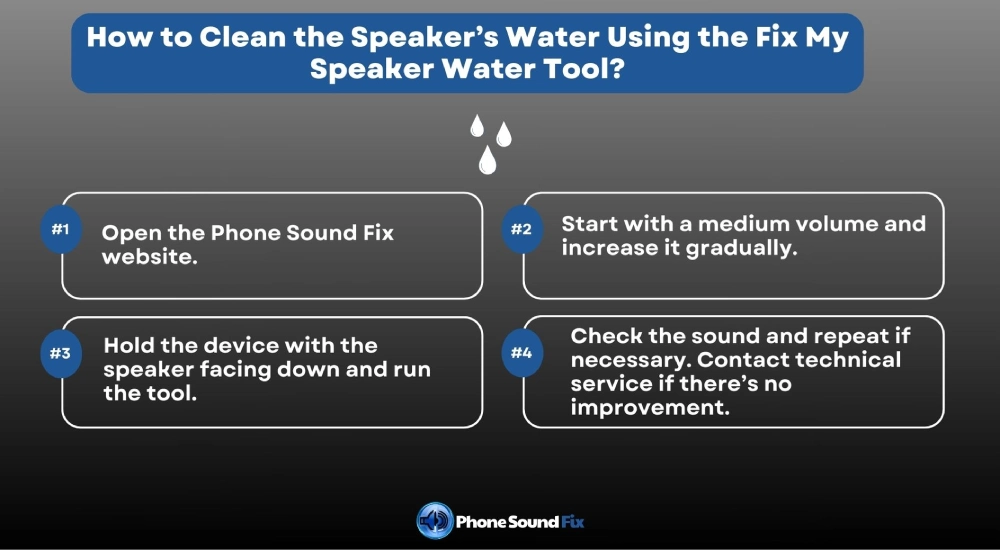
Step 1 Visit Phone Sound Fix: First of all, you should open the Phone Sound Fix website in your browser. You can visit our website from either your laptop or your mobile phone. It’s compatible with all devices.
Step 2 Turn Up Volume: You need to increase the device volume to create a powerful vibration in the speaker. However, we don’t recommend using it at full volume right away. You can start at a moderate level and increase it later.
Step 3 Run the Tool: Before clicking the start button, you should hold the device with the speaker facing down. This will make it easier for the water to drain. Then, click the start button. Wait until the process is complete. The progress bar will show the percentage of completion.
Step 4 Check and Repeat: After the process is complete, check the speaker’s sound quality. If the desired level isn’t achieved, repeat this process a few times. However, it shouldn’t be used for extended periods.
Step 5 Check the Performance: After the process is completed, the sound quality should improve. If there is no improvement despite repeating the process, you should contact a technical service.
Benefits of Using the Fix My Speaker Water Tool
- When a speaker is damaged after being exposed to water, our tool can fix it with a single click. So, speaker cleaning can be done easily.
- It works solely with sound waves and vibration. Therefore, it doesn’t interfere with the device’s hardware or software, and hence doesn’t harm it in any way.
- It works with every device, regardless of iOS or Android.
- As it is web-based, it can be used without any downloads.
- It allows you to clean not only the water but also the dust layer that accumulates inside the speaker over time.
- Sometimes the problem is simpler than you think, but going to the repair service for a simple problem can be expensive. With our Fix My Speaker Water tool, you can easily and affordably resolve your issue.
- There is no usage limit. This means you can use it as much as you want without paying any fees.
Frequently Asked Questions
Low speaker volume may be due to water entering the speaker, dust or dirt accumulation, wear and tear, software problems or component failure.
If you want to fix the low volume problem, you must first identify the cause. You can use the Fix My Speaker Volume tool to eliminate low volume caused by dust and water.
No, the Fix My Speaker Volume tool does not harm your device in any way. Because it only cleans the speaker using sound waves and vibration.
Yes, our tool works smoothly on every device, whether Android or iOS.