
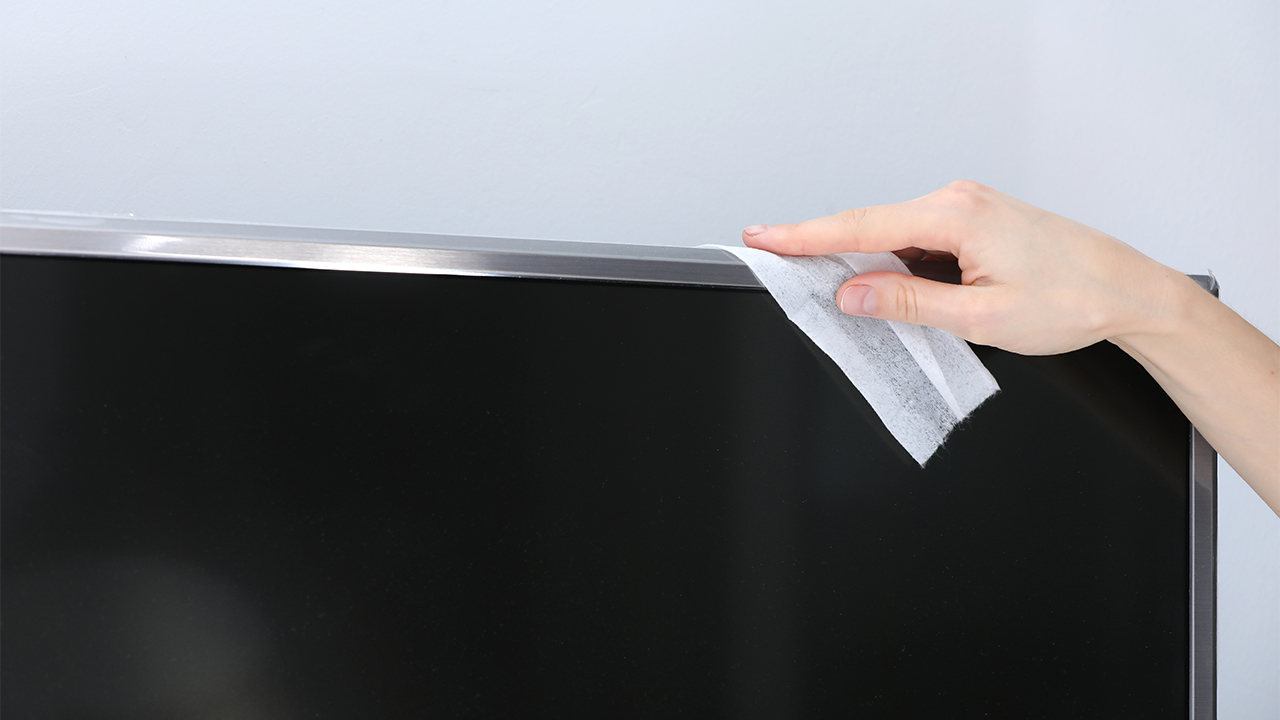
Cleaning smart TV speakers is essential for maintaining sound quality, but it’s important to do so without damaging the screen. This blog post offers an introduction to effective cleaning techniques specifically designed for smart TV speakers. It outlines in-depth tips and methods, such as using a soft cloth and appropriate cleaning solutions, to ensure thorough yet safe cleaning. The article also emphasizes precautions to prevent screen damage during the process, such as avoiding abrasive materials and excessive moisture. In the summary section, key takeaways for cleaning smart TV speakers are highlighted, providing readers with essential information to keep their devices in top condition. By following these guidelines, users can enjoy the best audio experience from their smart TVs while protecting their screens from potential harm.
Introduction to Cleaning Smart TV Speakers Effectively
Cleaning smart TV speakers is a crucial part of maintaining your home entertainment system. Over time, dust and debris can accumulate, affecting sound quality and performance. Knowing how to clean TV speakers correctly can prevent potential damage to your device, ensuring optimal audio experience. It is essential to follow proper methods and techniques to ensure the speakers are cleaned effectively while safeguarding the screen and other components.
Top Reasons for Cleaning Smart TV Speakers
- Improved Audio Quality: Dust buildup can muffle sound and affect clarity.
- Prolonged Speaker Life: Regular cleaning reduces wear and tear on internal components.
- Enhanced Viewing Experience: Clear sound adds depth to your entertainment, making it more enjoyable.
- Prevent Overheating: Dust can block ventilation, leading to overheating issues.
- Allergy Reduction: Removing dust minimizes allergens and improves air quality.
- Preservation of Device Value: Well-maintained speakers can help retain or increase device resale value.
Incorporating regular dust removal from smart TV speakers is essential to upkeep both appearance and functionality. Using appropriate tools and techniques will ensure that you do not inadvertently damage the screen or other components while cleaning. Remember to follow the instructions in the subsequent sections of this article for effective and safe cleaning methods.
In-Depth TV Speaker Cleaning Tips and Techniques
To maintain the quality of your smart TV’s audio, it is essential to regularly clean its speakers. Not only does this enhance sound quality, but it also prolongs the life of your device. When considering how to clean smart TV speakers, it’s vital to use the right methods to avoid damaging your TV screen. Incorrect cleaning techniques may lead to scratches, streaks, or even hardware malfunctions. Follow these practical TV speaker cleaning tips to ensure your cleaning process is effective and safe.
| Cleaning Method | Tools Needed | Effectiveness |
|---|---|---|
| Dry Microfiber Cloth | Microfiber Cloth | Highly Effective |
| Compressed Air | Can of Compressed Air | Very Effective |
| Vacuum Attachment | Vacuum with Brush Attachment | Moderately Effective |
Before diving into specific techniques, it’s crucial to gather the proper supplies. Using unsuitable materials can cause more harm than good, so ensure you have the essential tools at hand. These include a microfiber cloth, a soft brush, and, if needed, a vacuum with a brush attachment. These tools will not only assist in the cleaning but will also ensure a safe way to clean speakers without potentially damaging your screen.
Essential Tools for Cleaning
Gathering the right tools is the first step in effective cleaning. The essential items required for the best results include:
- Microfiber cloths to avoid scratches
- Soft-bristled brushes for detailed work
- Compressed air for removing dust in small crevices
- Vacuum with soft brushes for deeper cleaning
Steps for Safely Cleaning Speakers
- Turn off your smart TV and unplug it to avoid any electrical hazards.
- Use a dry microfiber cloth to wipe down the speaker grilles gently.
- If there is stubborn dirt, prepare a slightly damp cloth with water, ensuring it is not dripping wet.
- For hard-to-reach areas, use a can of compressed air to blow out dust.
- Consider using a soft brush attachment with a vacuum to thoroughly clean the dust without risking screen damage.
- Always avoid using cleaning sprays directly on the speakers or TV screen.
- Once clean, allow the speakers to dry completely before plugging the TV back in.
Techniques to Avoid Screen Damage
Protecting your TV screen during the cleaning process is paramount. The most effective technique is to avoid any excess moisture, as well as steer clear of abrasive materials. Additionally, always use gentle, sweeping motions with your cleaning tools. Never spray cleaner directly onto the screen or speakers; instead, apply it to your cloth if needed. By adhering to these guidelines, you will significantly reduce the risk of screen damage while ensuring that your TV speaker cleaning tips yield optimal results.
Avoiding Screen Damage When Cleaning TV Speakers
When it comes to maintaining the quality of your smart TV, cleaning the speakers is often overlooked. However, it’s essential to clean smart TV speakers regularly to ensure optimal sound quality. While cleaning, the primary concern is to avoid screen damage when cleaning speakers. The delicate nature of modern screens can make this task a bit tricky if not done carefully. By following the correct techniques and using the right materials, you can keep your speakers in great condition without compromising your screen.
Critical Warnings and Recommendations
Before diving into the cleaning process, it’s crucial to have a clear understanding of certain practices that can ensure safety and efficacy. Here are some critical warnings and recommendations to avoid screen damage when cleaning speakers:
- Always turn off and unplug the TV before cleaning.
- Use a microfiber cloth to avoid scratching the screen.
- Avoid using any ammonia-based or harsh chemical cleaners.
- Do not spray cleaners directly onto the speaker or screen; apply them to the cloth instead.
- Be gentle during the cleaning process, especially around the edges of the speakers.
- Check for loose dust particles and remove them gently before using any damp cloth.
- Consider using a small vacuum attachment to remove debris from hard-to-reach areas.
By adhering to these recommendations, you can keep both your TV speakers and screen in excellent condition. It is also advisable to avoid common cleaning mistakes that can lead to accidental damage.
Common Mistakes When Cleaning
One of the biggest blunders people make when cleaning smart TV speakers is neglecting to protect the screen. Many individuals assume that if they are careful, they won’t cause damage. However, using the wrong materials or techniques can lead to scratches or, worse, a damaged display. It’s important to stay mindful of the following practices to ensure effective cleaning while safeguarding your smart TV screen.
Summary: Key Takeaways for Cleaning Smart TV Speakers
Cleaning smart TV speakers is an essential task to maintain sound quality and overall performance. A buildup of dust and debris can obstruct speaker functions, leading to muffled audio or distorted sound. It is crucial to understand how to clean TV speakers without causing any harm to the delicate components or the screen itself. To achieve optimal results, always use appropriate cleaning tools and methods that ensure safety and efficiency.
Actionable Steps to Remember
- Gather necessary cleaning supplies, including a soft microfiber cloth and a can of compressed air.
- Power off the TV and unplug it from the electrical outlet for safety.
- Use compressed air to gently blow away dust from the speaker grilles.
- Dampen the microfiber cloth slightly with a cleaning solution recommended for electronics.
- Wipe the external parts of the speakers carefully, avoiding moisture near the screen.
- Inspect the speakers for any stubborn dirt and repeat cleaning as necessary.
- Reconnect and power on the TV to ensure everything is functioning correctly.
By following these TV speaker cleaning tips, you can ensure your sound system operates effectively and prolong its lifespan. Regular maintenance will not only enhance audio quality but will also contribute to a clearer visual experience on your smart TV, making every viewing session more enjoyable.
Frequently Asked Questions
What materials are recommended for cleaning smart TV speakers?
It is best to use a microfiber cloth, soft brushes, and mild cleaning solutions specifically designed for electronics to avoid scratching the speaker or screen.
How often should I clean my smart TV speakers?
It is recommended to clean your smart TV speakers every few months or whenever you notice a buildup of dust or debris.
Can I use water to clean the speakers of my smart TV?
It's best to avoid using water directly on the speakers; instead, dampen a microfiber cloth with a mild cleaning solution to gently clean around the speaker areas.
Is it safe to use compressed air for cleaning TV speakers?
Yes, using compressed air can help blow out dust and debris from the speaker grill, but be sure to hold the can upright and avoid applying too much pressure.
Will cleaning my smart TV speakers affect sound quality?
Proper cleaning should not affect sound quality; in fact, removing dust can improve acoustics. However, using harsh chemicals or improper techniques can potentially harm the speakers.
What should I avoid when cleaning my smart TV speakers?
Avoid using abrasive materials, excessive moisture, and harsh chemicals, as these can damage both the speakers and the screen.
Can I use a cloth with fabric softener in cleaning my smart TV speakers?
No, using a cloth with fabric softeners can leave residues that may attract dust and damage components; stick to dry or lightly dampened microfiber cloths.
Are there specific tools for cleaning my smart TV speakers effectively?
Yes, a soft brush or a vacuum with a brush attachment can help remove dust without damaging the speakers. Additionally, a microfiber cloth is crucial for wiping down surfaces.
How can I avoid damaging my TV screen while cleaning the speakers?
Ensure that you apply a gentle touch and keep cleaning solutions away from the screen. It’s advisable to use a cloth specifically for electronics to prevent scratches.
What are the key takeaways for maintaining clean smart TV speakers?
Regularly dust your speakers, use appropriate cleaning tools, avoid moisture, and take caution not to harm the screen during the cleaning process to maintain optimal performance.