
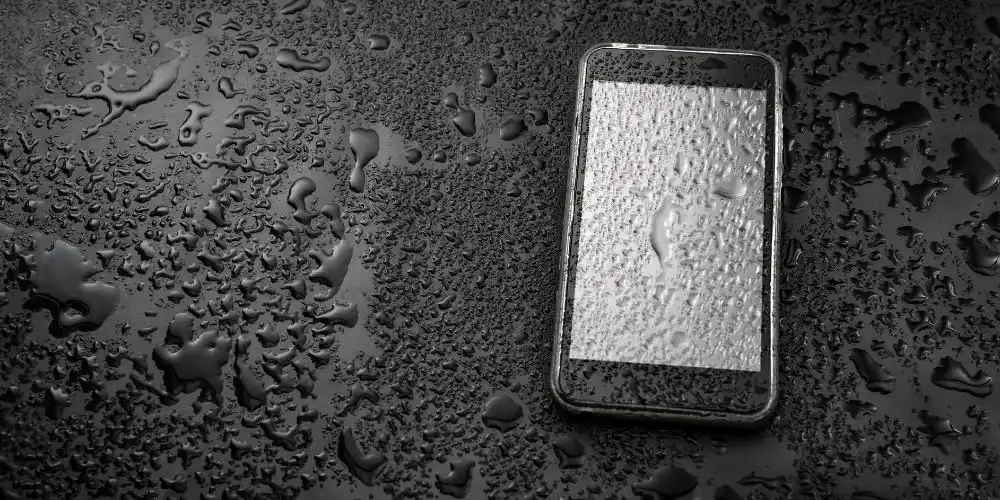
Dropped-in-water phones can sometimes be saved, but you have to act fast and right. This guide starts with common sense first steps, then covers drying, testing, professional repair, and prevention. Myths are avoided, and advice comes from tested, technician-approved actions. Get realistic expectations on how to fix water damaged phone recovery.
Immediate steps
Get the phone out of the water and turn it off. This limits shorting-out and permanent damage from power on while wet. Seconds matter, which means liquid plus power plus movement equals fried electronics.
Jacket, cables, and external SIM/memory cards should be removed. They are often still okay and can dry separately on a lint-free towel.
Button pushing or forced unlocking should be avoided. Short inputs like this can force more water deeper into the phone.
Fast and safe drying tips
Pat the phone’s surface gently with a lint-free cloth or paper towel. Pat, don’t rub, to avoid pushing moisture into openings or ports.
Place it with the charging port facing down to let gravity drain more water out. Tapping edges can help coax the liquid out, without spraying it further inside.
Air-dry in front of a fan in a ventilated area. The airflow helps evaporate moisture faster, without introducing damaging heat.
Silica gel sachets are best if available. Placing your phone in a sealed container with silica gel packets pulls out moisture. Silica is better than rice and will not leave dust or starch in openings.
Bonus Tip: You can use our free Fix My Speaker Water tool, which we developed specifically for your phone.
Wait and warning
The phone should rest undisturbed for at least 24 to 72 hours depending on the amount of liquid exposure. Time and patience help ensure no electricity gets sent through it before it is ready.
Heat such as hairdryers, ovens, or clothes dryers are a no-go. Heat breaks seals, damages screens, and may cause battery loss. Do not insert cotton buds, toothpicks, or other implements into openings. They can damage pins or spread residue.
Testing and safety
After waiting, try to turn on the device. If it powers up, the first thing you should do is back up any photos, contacts, and messages to the cloud or a computer.
Take a quick test to make sure basic functionality works: dial and test speaker and mic, open camera and take photos, check the touchscreen, plug in a charger and verify charging status.
Keep the device off and take it in if it smells, smokes, or heats up when you turn it on.
If any function seems “off” or odd, such as ghost touches, blurred camera or photos, muffled audio, or odd charging patterns, this indicates internal problems and should be avoided.
Repair techniques
Technicians may disassemble and look for corrosion and residue. They then remove the battery, clean all contacts with appropriate solvents, and identify which modules may need to be replaced.
Commonly replaced components include charging ports, speaker modules, microphone, and various small connectors. They may do an ultrasonic bath or use a vacuum chamber for safe removal of any trapped moisture.
Salt water causes more rapid corrosion. If the device was dropped in seawater or ocean, it will need a professional assessment more quickly.
Salt residue will continue to corrode and eat away at parts long after the water is gone. Cleaning and inspection from a professional prevents later problems.
Replacement decision
When damage appears extensive or the device has fallen into saltwater, searching for how to fix a phone with water damage should lead to a timely professional assessment. Liquid damage frequently voids manufacturer warranties. Logic board issues or corrosion on multiple components make the repair cost exceed the value of the device.
Repair estimates should be compared to the phone’s market value. With older phones, replacement is likely more cost-effective in the long run.
Repeated failures after cleaning, corrosion that is visible to the naked eye, and tripped water damage indicators are signs that repair is unlikely.
Things not to do (misconceptions and mistakes)
- Do not put your phone in rice. It absorbs minimal surface moisture and can introduce starch and dust that clogs connectors.
- Do not use heat or ovens to dry the device. Heat damages seals and internal adhesives and can cause battery explosions or fires.
- Do not try to charge or boot the phone before it is bone-dry. The device must be completely dry to avoid dead circuits.
- Do not try to clean ports with tools or hard objects. Force-cleaning with non-lubricated implements can break the pins or connectors.
How to fix water damaged phone comparison
| Method | Effectiveness | Risk |
| Silica gel packets (airtight container) | High | Low |
| Air-drying with fan (ports down) | Medium–High | Low |
| Repair-shop vacuum or vacuum chamber | High (professional) | Low when done by pros |
| Compressed air (careful, external use) | Medium | Medium — can push liquid deeper |
| Rice in container | Low | Medium — starch/dust can clog ports |
| Heat sources (hair dryer/oven) | Low | High — damages seals/battery |
Save data and backup
A full backup is advised if the device starts working normally. Monitor closely for a week. Corrosion can cause late failures such as battery drain or random touchscreen issues.
Resume caution and contact a professional repair if faults recur. Continuing use causes more corrosion and harm.
Prevention for common situations
Waterproof pouches can help at the beach, swimming pool, and boat outings. Pick a well-sealing pouch, one that floats if dropped.
Buy a protection or insurance plan if you regularly expose devices to risk. Accidental damage is typically covered in policies.
Maintenance is crucial; therefore, replace cases and screen protectors that are worn or old. Water resistance degrades from age, drops, and seal wear.
Wrapping up
If you search for how to fix water damaged phone, you often need steps to take now. A more detailed do-it-yourself recovery path is often successful for readers who follow the fan and silica method. Professional services are good when owners want how to fix a phone that has water damage to be diagnosed and fixed by pros.