
Our phones have become essential items we hold in our daily lives. We use them to listen to music, watch movies, and make phone calls. This is why hoarse and crackling sounds coming from our phone speakers can be annoying. When people are faced with such issues, many consider visiting a repair or replacement service for their phone.
But don’t worry, there is a practical solution to these problems. What is it? The Fix My Speaker tool, of course. So, how exactly does Fix My Speaker work, and is it a reliable service? We will discuss this in more detail in the following.
Common Speaker Sound Problems
Sound problems with speakers are not a surprise to most users, but understanding the underlying causes of these issues is crucial. These include:
- Hoarse or very low sound: Dust, water, or small amounts of dirt trapped in the speaker grille can prevent sound from escaping. This can result in hoarse or low sound. While it may seem like a minor issue, it can have a significant impact on sound quality.
- Buzzing sounds: In addition to low or muffled audio, a crackling sound is also very common. A crackling sound can occur when water or dust gets into the speaker grille. However, it can also be caused by things like dropping or bumping your phone.
- No sound at all: If the speaker is damaged in hardware or has a software issue, the sound may be completely cut off. Alarms, calls, or notifications become inaudible. In these cases, technical intervention is required. However, a technician can fix the problem.
- Intermittent sound: If the sound is intermittent during a phone call, while watching a movie, or while listening to music, there is either a hardware or software issue with the device. This could also be caused by an update issue or a problem with the app.
Many of the problems mentioned above are caused by dust and water. Identifying the root cause of these problems is crucial for long-term solutions.
What is the Fix My Speaker Tool?
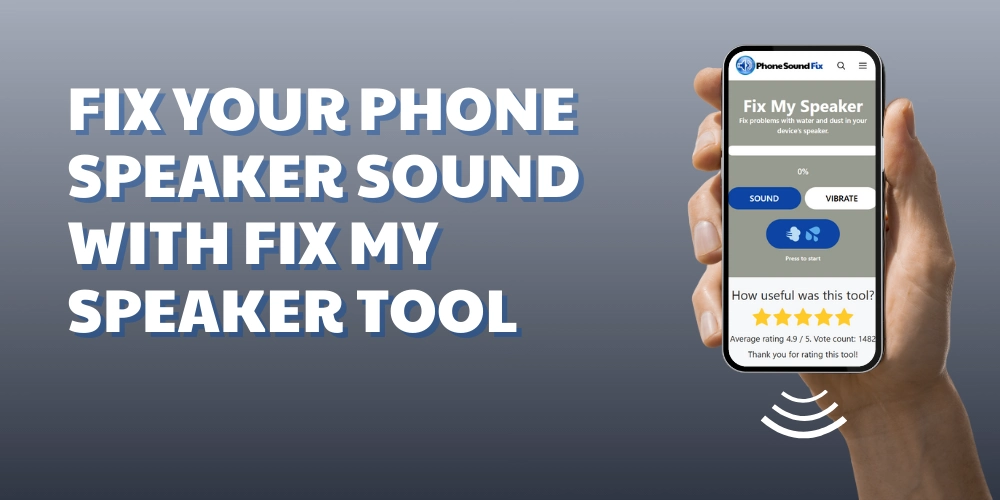
The Fix My Speaker tool on our Phone SoundFix website was developed to remove dust and water from the speaker using sound waves and vibrations. The sound waves used have a specific frequency and are designed to dislodge dust. Furthermore, the vibration mode pushes out any water droplets or dust particles trapped inside the speaker, quickly restoring sound quality.
You don’t need to download an app to use the Fix My Speaker tool. Simply visit our website through a web browser and click the start button. This process typically takes 10 to 30 seconds. The Sound and Vibration modes are separate, so they must be run separately.
Steps to Resolve Sound Problems with the Fix My Speaker Tool
Step 1: The first step is preparation. If there is any moisture or dust on the speaker, it’s a good idea to wipe it down with a dry, lint-free cloth. Next, you need to adjust the sound settings. For the tool to be effective, the volume must be increased. Low levels can reduce the effect. However, we recommend not setting the volume to maximum at first.
Step 2: Then, open the Phone Sound Fix website in your browser. You can easily use our tool on our website.
Step 3: There are two modes: Sound and Vibration. First, switch to Sound mode and click the Start button. The device will begin playing sound waves at a specific frequency in the speaker chamber for a particular duration. Each mode lasts approximately 10 to 30 seconds.
Step 4: Once Sound Mode is finished, Vibration Mode should be activated. Vibration Mode creates physical pressure. This pressure is used to expel the layer inside the speaker.
Step 5: After completing the steps above, you should see a significant improvement in your speaker. You can test it to see the difference. However, if there’s no difference, we recommend increasing the volume and repeating the steps above. You can repeat this process 2-3 times.
If you still haven’t seen any improvement after running the Fix My Speaker tool 2-3 times, the problem may be hardware or software related. We recommend contacting a technical service provider for assistance. At this point, we recommend contacting a technical service provider for further assistance.
Which Problems Can Be Solved with Fix My Speaker?
Our tool is both simple to use and versatile. We can categorize the problems it can solve as having a high probability of being solved, a partial effect, or a weak effect.
First, let’s address the problems it most likely solves:
- Dampening sound can occur due to water droplets entering the speaker chamber after splashing or rain.
- Particles such as dust, cloth, or napkin pieces from daily use.
Situations that can be partially resolved. This means that cleaning is achieved, but not completely:
- The sound is intermittent or crackling.
- Water leaks at the connection points.
Problems that our tool is insufficient in solving:
- Internal corrosion or damage to internal circuits.
- Speaker driver burnt out or broken.
- Audio issues caused by software updates.
Things to Consider
While Fix My Speaker has a high-resolution rate for light dust or minimal liquid exposure, every device’s speaker design is different. Therefore, the tool’s effectiveness may vary depending on the device. For some devices, using it once is sufficient, while for others, it may require several uses.
For example, devices that are exposed to excessive water or seawater can experience short circuits. These situations may reduce the effectiveness of our tool. In such cases, technical intervention is necessary.
Another thing to be careful about is not using the tools on top of each other. Doing so can cause damage to the speaker’s diaphragm due to excessive pressure.
Frequently Asked Questions (FAQ)
Does Fix My Speaker work on all phone models?
The Fix My Speaker is a browser-based tool. Therefore, you can use it regardless of your phone model.
Will Fix My Speaker completely restore the speaker?
Fix My Speaker can restore device quality to normal in cases where water or dust has entered the speaker. However, for more serious issues, the tool may be insufficient.
Is it safe to use the Fix My Speaker Tool?
Fix My Speaker works with specially generated sound waves and vibration mode. Therefore, it doesn’t physically interfere with your device. So, you can use it with peace of mind.
Is Fix My Speaker a free Tool?
Yes, Fix My Speaker is totally a free tool. You can use it as many times as you want.