
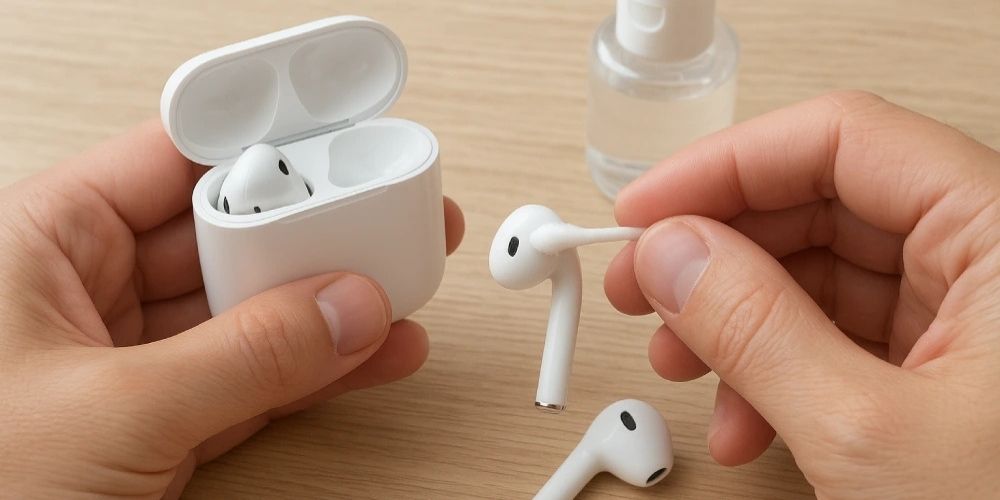
Regularly cleaning your AirPods is crucial for maintaining the device’s health. Devices that are periodically cleaned and maintained have a longer lifespan. As with other devices, AirPods can accumulate permanent dirt over time due to use. Fortunately, you can clean your device with a few simple steps you can do at home.
Table of Contents
Tools and Equipment Needed
Below is a list of the tools and equipment you will need to clean your AirPods. You should have these on hand before you begin cleaning. All of these tools are commonly found in most homes. Here is a list of tools and equipment needed to clean AirPods:
- Microfiber cloth or paper towel
- Toothbrush (the bristles should be soft)
- Hair dryer
- Hydrogen peroxide
Step 1: Wiping with a Cloth
First, use hydrogen peroxide or alcohol with a microfiber cloth. Remove the AirPods from their case and place them on the microfiber cloth. Then, spray the cleaning solution on them. Wait a moment, then gently wipe the entire device with the fabric.
Step 2: Use Cotton Swabs
The most important step in cleaning is to thoroughly clean the inside of the earbuds. Dirty earbuds can directly impact sound quality and negatively affect the sound level. Squeeze cleaning fluid onto a cotton swab. Then, thoroughly rub the inside of the AirPods earbuds with the cotton swabs. Be careful when doing this, as this is the most sensitive area of the device and where the speakers are located.
Step 3: Use a Toothbrush
You can use a soft-bristled toothbrush to tackle stubborn stains inside the earbuds. Gently press the brush and repeat the process until you are sure all the dirt is gone.
Step 4: Dip the Rubber Tips in Cleaning Solution
Remove the rubber tips from your AirPods and soak them in cleaning solution. This will clean any dirt, bacteria, and residue accumulated on the rubber tips. The cleaning solution not only cleans the dirt but also disinfects any microbes and bacteria present. If you use your AirPods for sports and strenuous activities, the rubber tips are more prone to collecting sweat and dirt.
Step 5: Dry the AirPods with the Cold Setting on a Hair Dryer
After cleaning, you can dry the device completely using the cold setting on a hair dryer to prevent moisture damage. This process will prevent your device from malfunctioning due to moisture. Even a small amount of liquid used during cleaning can leave moisture on the device.
Insufficient drying can cause damage to the device. You can clean your device weekly to keep it clean and hygienic at all times. This process will also extend the life of your device.
Bonus
If you have a problem with your device’s speaker, we have a practical solution for you. The Fix My Speaker web application provides an easy-to-use solution for troubleshooting speaker problems, regardless of your device type.
Frequently Asked Questions (FAQ) About AirPods Cleaning
How should I clean my AirPods?
To clean your AirPods, you can use a microfiber cloth, a soft-bristled toothbrush, cleaning fluid, and a hair dryer. Apply cleaning fluid to the device surface and wipe it with a cloth. You can brush the inside of the earbuds with a soft-tipped toothbrush and dry them afterwards.
How do I clean dirt from the AirPods speaker grille?
You can use a soft brush or cleaning tool to clean dirt from the speaker grille. Do not use sharp or metal objects, as they may damage the device.
How do I clean the silicone tips on my AirPods?
You can remove the AirPods silicone tips and clean them with a disinfectant or cleaning solution. If these are not available, you can also clean them with warm water.
How often should I clean my AirPods?
Depending on how often you use the device, you can do a weekly surface cleaning and a monthly detailed cleaning. Regular cleaning helps ensure that your device lasts longer and maintains its sound quality.