
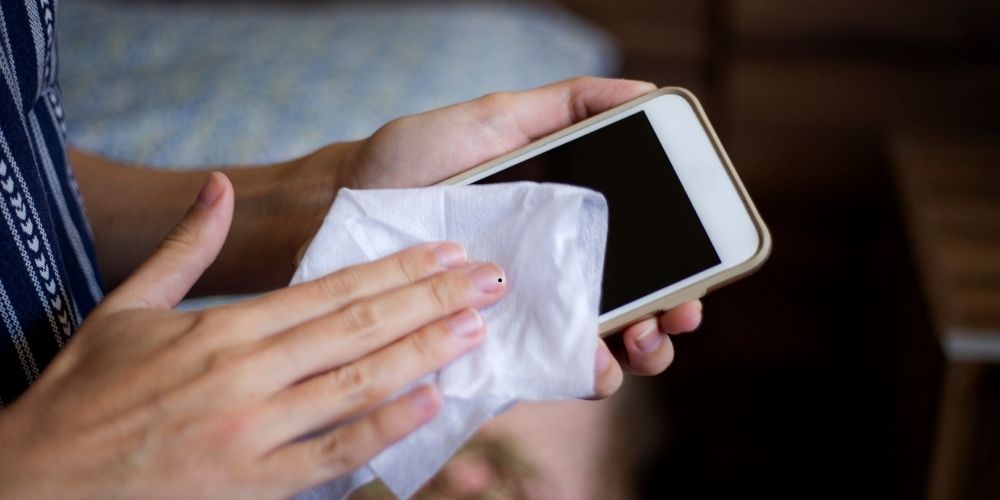
Routine cleaning and disinfection of devices is important for maintaining their cosmetic appearance and reducing the spread of germs and disease. This guide explains how to clean your phone and other everyday gadgets in plain, practical steps. It uses trusted, manufacturer-friendly methods in order to help readers avoid common mistakes that damage screens, coatings, or internal components. Please check all of the options below, and choose the approach that works best for your device.
The importance of cleaning
Phones and tablets are present everywhere we go such as pockets, bags, buses and trains, gyms, and bathrooms. That’s why there’s no escaping some oil, makeup, dust, sand and microbes from the environment. Regular cleaning can help minimize germs, maintain the accuracy and responsiveness of touchscreens, prolong effectiveness of screen coatings and prevent ports and connectors from clogging with debris. If you are concerned about warranties, coatings or the like, then here are some simple, manufacturer-friendly cleaning methods to avoid accidental damage.
Cleaning products to use and not to use
The only materials that should touch your device are a soft, lint-free cloth, preferably microfiber. For disinfecting purposes, alcohol wipes or a disinfectant solution that includes 70% isopropyl alcohol or 75% ethyl alcohol are lightly applied to a cloth. Do not spray directly onto a device or wipe with a spray bottle. For routine smudges and fingerprints, distilled or filtered water on a barely damp microfiber cloth is all you need.
Additionally, you must not use abrasive cleaning materials such as paper towels, and do not use common household cleaners or aerosol sprays containing bleach, ammonia, vinegar or hydrogen peroxide. Do not spray compressed air into any openings. Never spray liquid directly onto a device or allow liquids or moisture to enter any openings. If the device turns on and you see liquid or moisture inside the device, turn it off and take it to an authorized service provider. Following these routine answers “how to clean my phone” without risking damage.
Recommended daily cleaning routine
- Turn the device off.
- Unplug the device.
- Wipe the screen and case with a slightly damp lint-free cloth.
- If desired, hard, nonporous surfaces may be disinfected with a 70% isopropyl alcohol wipe or other disinfectant wipe specifically recommended for electronics. But you should use it sparingly and do not allow liquid to pool.
- Dry with a clean microfiber cloth and wait a few minutes, then power up the device.
Additional deep cleaning checklist (weekly, or after heavy exposure)
- Turn the device off and unplug any accessories.
- Remove the case and clean it separately according to the material such as silicone, plastic, leather, fabric, etc.
- Wipe the screen with a damp microfiber cloth then wipe any stubborn smudges with an alcohol wipe; do not apply to soft, porous or leather surfaces.
- Check ports and speaker grilles for debris; if necessary, use gentle tools to carefully loosen debris such as adhesive tape, toothpick very lightly or a low-power vacuum nozzle.
Special cases: Cleaning various materials and accessories
Different materials have different tolerances. Use the table below as a quick reference guide. Each has a Safe cleaner column for materials approved for use on a device, as well as some Notes.
| Item | Safe cleaner | Notes |
| Glass screen (oleophobic) | Microfiber + distilled water; 70% alcohol for tough smudges | Alcohol may gradually reduce the oleophobic coating with heavy use |
| Silicone/clear cases | Slightly damp cloth; mild soapy water if needed | Dry thoroughly before reattaching |
| Leather cases | Damp cloth + mild soap sparingly; leather conditioner with caution | Cleaning may alter color or patina |
| Fabric/FineWoven cases | Mild detergent solution, gently rubbed, rinsed and dried | Fibers can compress over time; some staining may remain |
| MagSafe chargers / silicone pads | 70% isopropyl alcohol on microfiber | Brush off debris on magnets before wiping |
| Earbuds / chargers | Dry, lint-free cloth; cotton swab for crevices | Avoid liquids near openings and charging connectors |
Cleaning tips by device type
- Smartphones (iPhone, Android): Turn off, unplug and wipe with a damp microfiber cloth. Use 70% alcohol wipes on hard, nonporous surfaces as needed. Keep moisture away from ports. Even water-resistant models should not be submerged, but do benefit from surface cleaning.
- Tablets and laptops: Power down and unplug. A cloth dampened with water can be used on displays. Alcohol can remove stubborn oils on enclosures but it should not be used heavily repeatedly on screen coatings.
- Headphones and earbuds: Remove ear tips (if possible) and clean with warm soapy water; wipe electronics with a dry cloth. Small crevices may be brushed with a soft-bristle brush.
- Smartwatches and wearables: Manufacturer guidance should be followed. Most will accept a damp cloth and occasional disinfecting wipe on hard, nonporous exterior surfaces, but avoid cleaning leather bands with alcohol.
- Cables and chargers: Always unplug before cleaning. Plug ends can be wiped with a slightly damp cloth; if very soiled, the cloth can be dampened with soapy water. But it is not allowed to pool. Avoid moisture near connectors and allow to dry overnight.
Cleaning up specific messes
- Fingerprints and oil: Microfiber cloth with distilled water; a 70% alcohol wipe can be used for persistent oily film.
- Makeup and foundation: Do not use facial makeup removers. Use a screen-safe cleaning product or a damp microfiber cloth; specialty alcohol-free screen cleaning products can be used.
- Sand and grit: Use adhesive tape to remove particles from seams and ports. For speaker holes, gently tease debris loose with a toothpick or a low-power vacuum.
- Sticky spills: Power down. Use a cloth dampened with soapy water to lift residue, then wipe with a fresh damp cloth and dry immediately.
Safety and warranty
A growing number of manufacturers are starting to provide clear cleaning guidance. Check for such guidance from the device manufacturer first to avoid potentially voiding any warranty. If your device exhibits problems such as signs of liquid ingress or ceases to work after a cleaning, contact an authorized service provider immediately. Liquid damage is normally excluded from standard warranties, though some consumer protections may apply.
Healthy, practical habits to reduce exposure
- Wash or sanitize hands before using your phone after leaving your home or other public exposure.
- Keep the phone in a pocket, bag or other enclosed compartment instead of setting on public surfaces.
- Use a case (washable when possible) and keep it clean.
- Use contactless payments and hands-free audio when possible.
- Clean between users if the device is shared.
On disinfectants and coatings
Simple disinfectant wipes with 70% alcohol are effective and relatively non-damaging if used carefully on hard, nonporous surfaces. Heavy or repeated chemical exposure can wear away screen coatings over time, so consider the frequency and strength of cleanings. Disinfecting wipes after potential exposures (using public transit, gym, healthcare settings) and doing gentler cleanings daily is an appropriate balance. Do not use products containing bleach or hydrogen peroxide and never submerge any electronic device.
Seeking professional help
Acting quickly can make the difference between an easy fix or a total loss in the event you detect liquid on or under screens, malfunctioning or nonresponsive buttons, distorted audio, or if the device fails to charge after cleaning. Stop using it and contact an authorized repair center or the device manufacturer’s technical support.
Bonus Tip: You can fix your speaker problems using our fix my speaker tool.
Final notes
Minimal daily care maintains the appearance of gear and minimizes the accumulation of micro-organisms. When provided, follow the manufacturer’s directions. Treat disinfectants carefully to avoid damage to coatings and finishes. Should liquid ingress occur during cleaning, take the device for service without delay. Routine, brief cleaning safeguards your equipment and your well-being.